Player Lives and Score
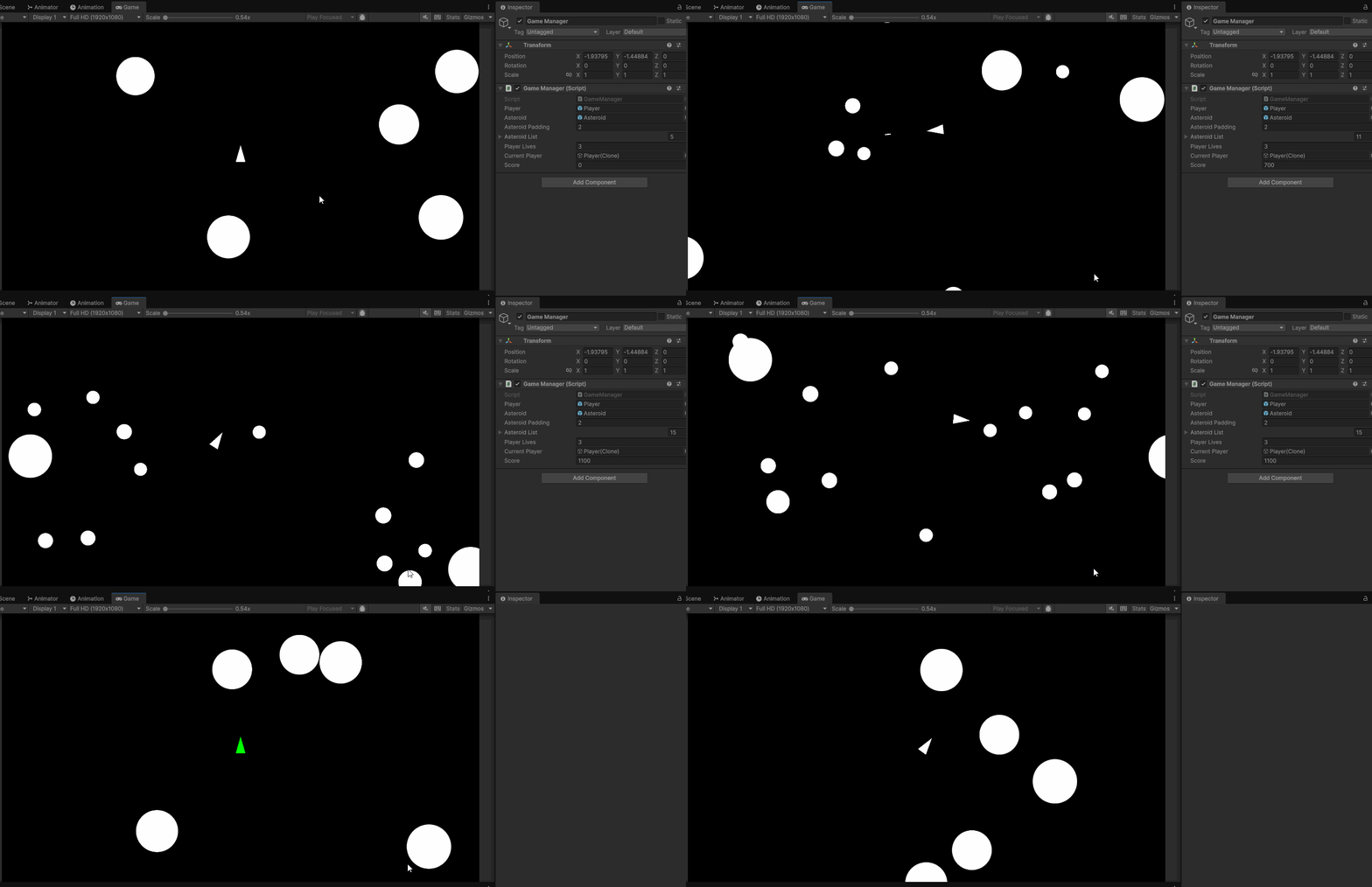
In this tutorial we will learn a bit more about how to pass data between objects within Unity. By the end of this tutorial, our player will have three lives and our score will reset to 0 when those three lives are used. You can see a demo of the end result of this tutorial below. Note the following: the player respawns with one second of invincibility; the score increase when each asteroid is destroyed; the score resets when the 3 lives are used.
Player Lives
We’ll keep track of the player’s lives within our GameManager script. Within our file, we can add the variable:
public int playerLives = 3;
Additionally, since we want to destroy our player and create a new player when our player is hit by an asteroid, we need to create a variable that can store the current player game object. Let’s create a variable of type GameObject and name it currentPlayer:
GameObject currentPlayer;
Now that we have a variable to store our current player, let’s modify our SpawnPlayer() method so that when our player is spawned it is assigned to the currentPlayer value:
void SpawnPlayer()
{
    currentPlayer = Instantiate(player, Vector3.zero, Quaternion.identity);
}
Player Death
Let’s make a method within our Game Manager that can handle player death. Eventually, this will be called every time our player hits an asteroid. Within this method we can write some logic for subtracting from our playerLives value, and then running different logic depending on the outcome.
We can begin by creating a public method call PlayerDeath():
public void PlayerDeath()
{

}
We can then write some code to subtract from playerLives as soon as the method is called:
public void PlayerDeath()
{
    playerLives--;
}
Next, let’s set up an if/else statement that will run different code based on if that player has run out of lives:
public void PlayerDeath()
{
    playerLives--;

    if (playerLives == 0)
    {

    }
    else
    {

    }
}
If our player hasn’t run out of lives, we need to destroy the current player and spawn a new one. We can do this by adding the lines:
Destroy(currentPlayer);
SpawnPlayer();
public void PlayerDeath()
{
    playerLives--;

    if (playerLives == 0)
    {

    }
    else
    {
        Destroy(currentPlayer);
        SpawnPlayer();
    }
}
Lastly, if our player runs out of lives, we need to reset our game. To do this, we need to reset our scene. We will learn about scene management later in the course, but for now we can paste the following line of code into our if statement:
SceneManager.LoadScene(SceneManager.GetActiveScene().buildIndex);
This will reload the current scene that we have open.
public void PlayerDeath()
{
    playerLives--;

    if (playerLives == 0)
    {
        SceneManager.LoadScene(SceneManager.GetActiveScene().buildIndex);
    }
    else
    {
        Destroy(currentPlayer);
        SpawnPlayer();
    }
}
Editing Player
Next, we can edit our Player prefab and Spacecraft.cs script to trigger the PlayerDeath() method.
Player Collider
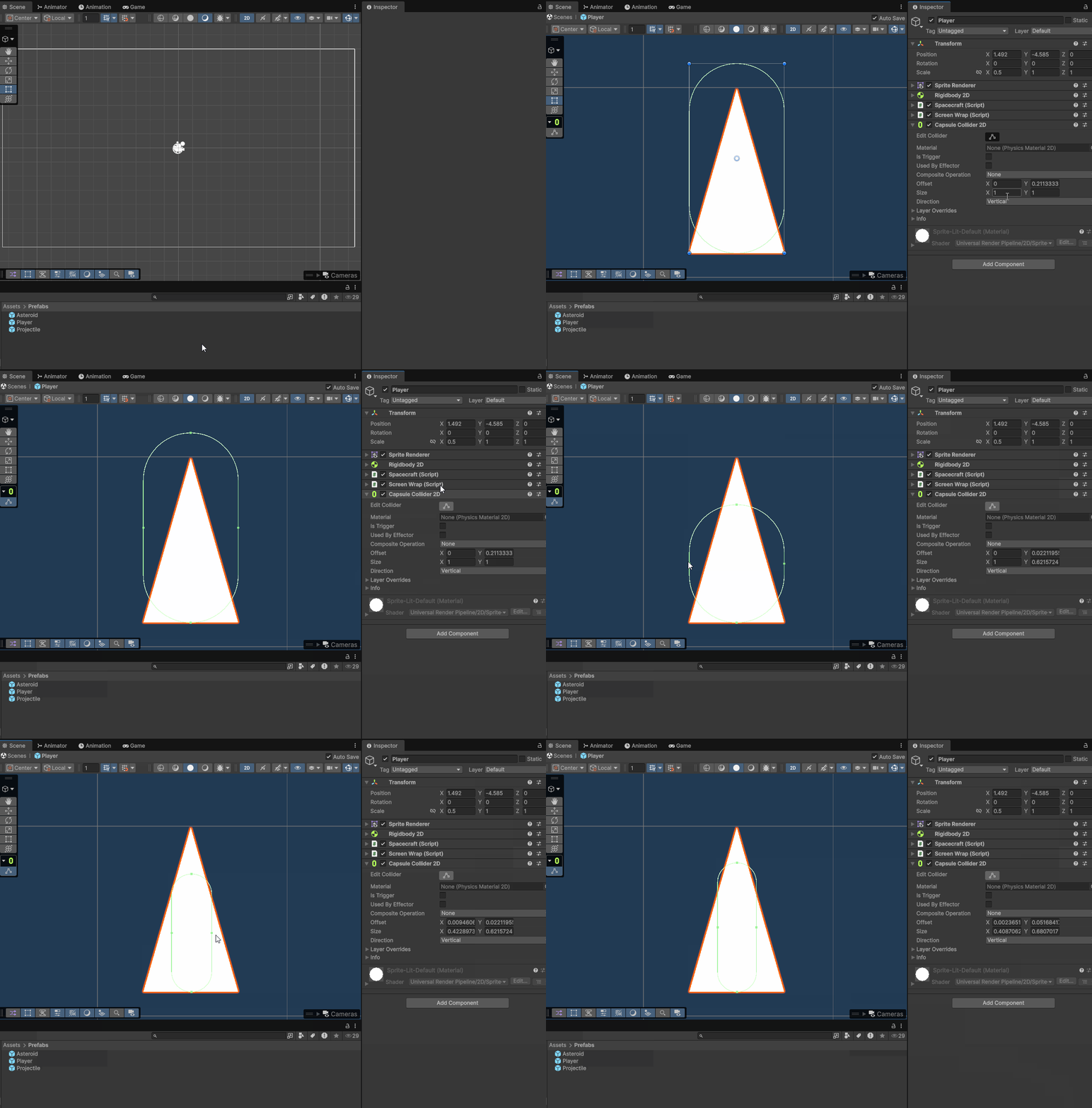
The first step is to edit our Player Prefab. We need to add a 2D collider to our player. This will allow the player to collide with asteroids in our scene. I would recommend using a Capsule Collider 2D component and editing it to be slightly smaller than your spacecraft. We can edit our Player prefab by double clicking on the file in our Project window.
Spacecraft.cs
Next, we can edit our Spacecraft.cs file. In the file, lets add an OnTriggerEnter2D() method. Within this method, we can call our PlayerDeath() method.
private void OnTriggerEnter2D(Collider2D collision)
{
    GameManager.instance.PlayerDeath();
}
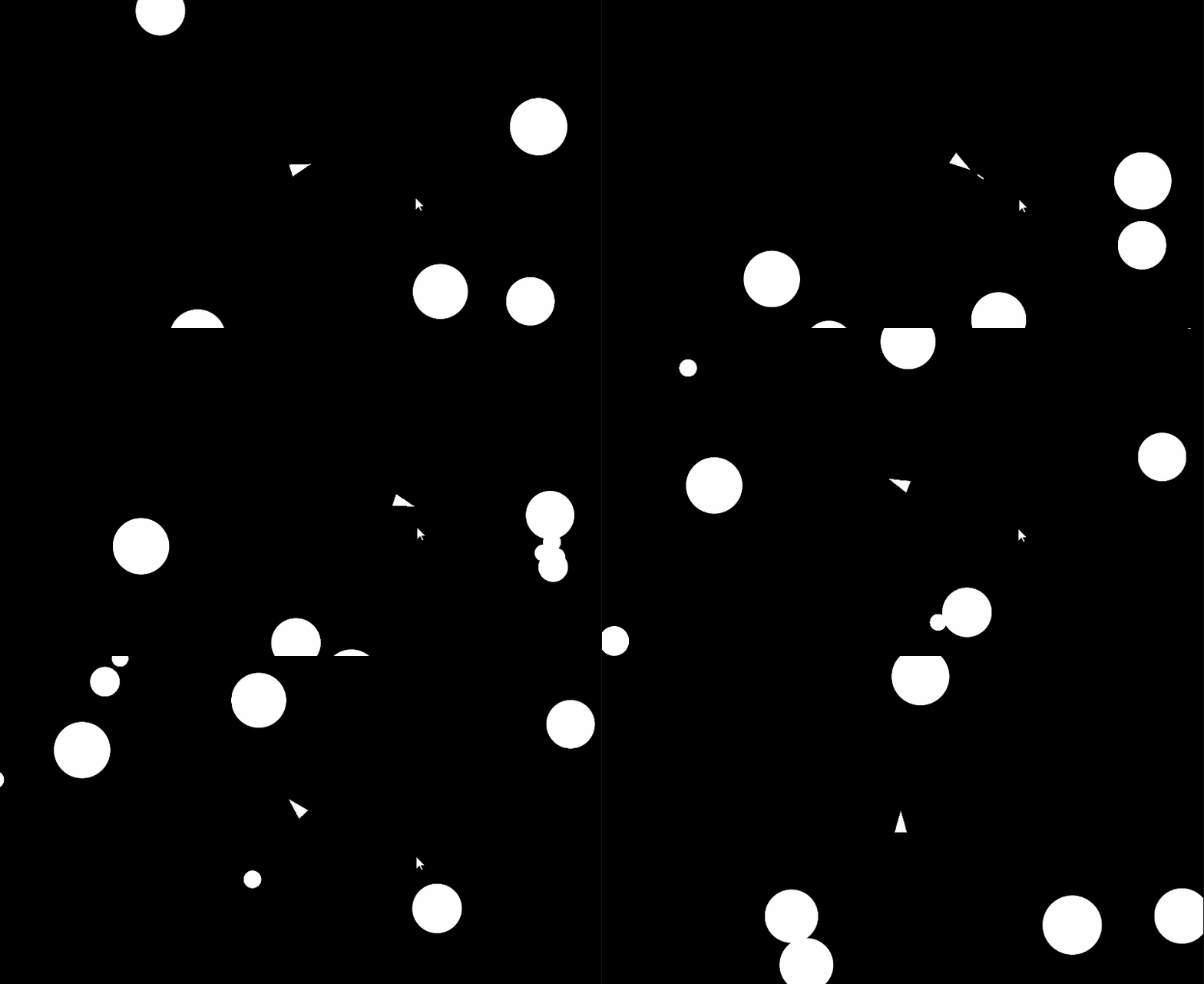
When we play our game, we should see that if our player crashes into an asteroid it will respawn at the center of the screen. We will also notice that after 3 deaths our game should reset with 5 new large asteroids:
Invincibility
Within the original version of Asteroids, the player is invincible for a few moments after respawning. This both gives a chance for the player to reorient themselves and also prevents the player from dying as soon as they respawn.
To create this invincibility, we will use a Boolean value to check if our player is invincible, and use a timer to keep track of our invincibility time. Additionally, we will get access to our player’s Sprite Renderer Component to change the color of our player when they are invincible.
Boolean Value and Timer
We can begin by editing our Spacecraft.cs file and adding a boolean variable to the top of our class. Let’s name this variable isInvincible and set its initial value equal to true:
bool isInvincible = true
Next, let’s create a float variable that will store our timer. We can set this variable to an initial value of 1. Let’s make it public so we can change it in the inspector later:
float invincibilityTimer = 1f;
Death and Invincibility
Let’s edit our OnTriggerEnter2D function to only call PlayerDeath() if isInvincible equals false. This way we can set up our timer to change isInvincible to false when the time runs out:
private void OnTriggerEnter2D(Collider2D collision)
{
    if (isInvincible == false)
    {
        GameManager.instance.PlayerDeath();
    }
}
Running Timer
Within our Update() method, let’s run our timer.
Let’s first check if isInvincible equals true:
    void Update()
    {
        if (fireAction.triggered)
        {
            Vector3 projectilePosition = transform.position + transform.up * projectileOffset;
            Instantiate(projectilePrefab, projectilePosition, transform.rotation);
        }

        //new code
        if (isInvincible)
        {

        }
    }
Next, within this if statement, let’s subtract Time.deltaTime from our invincibilityTimer:
if (isInvincible)
{
    invincibilityTimer -= Time.deltaTime;
}
Let’s then check if our invincibilityTimer is less than or equal to 0. If so, we can set isInvincible to false:
if (isInvincible)
{
    invincibilityTimer -= Time.deltaTime;
    if (invincibilityTimer <= 0)
    {
        isInvincible = false;
    }
}
Change Color
While we can test our game to make sure invincibility works, it is hard to tell when it is on or off if there is no visual indicator. To create a visual indicator, we can change the color our sprite using our Sprite Renderer component:
To begin, create a SpriteRenderer variable and assign it a value using GetComponent within the Start() method:
SpriteRenderer sRenderer;
void Start()
{
    rBody = GetComponent<Rigidbody2D>();
    //new code
    sRenderer = GetComponent<SpriteRenderer>();
}
Next within our Update() method, let’s change the color of our sprite depending on whether or not our invincibility timer has run out. To do this, we can get access to the color property of our Sprite Renderer. We can then use the values Color.green and Color.white to set different colors for our Sprite Renderer (note that green and white are static variables within the Color class that we can use to call colors at any time. Look at the definition of the color class to see what other colors you can get access to.)
if (isInvincible)
	{
	    //change to greeen when invincible
        sRenderer.color = Color.green;
        invincibilityTimer -= Time.deltaTime;

        if (invincibilityTimer <= 0)
        {
	        //change to white when no longer invincible
            sRenderer.color = Color.white;
            isInvincible = false;
        }
    }
Some other versions of asteroids have a circle appear around the player when they cannot be destroyed. This would involve turning a game object on and off. While we won’t do this within this tutorial, I would recommend exploring the method SetActive() to learn about turning game objects on and off during run time.
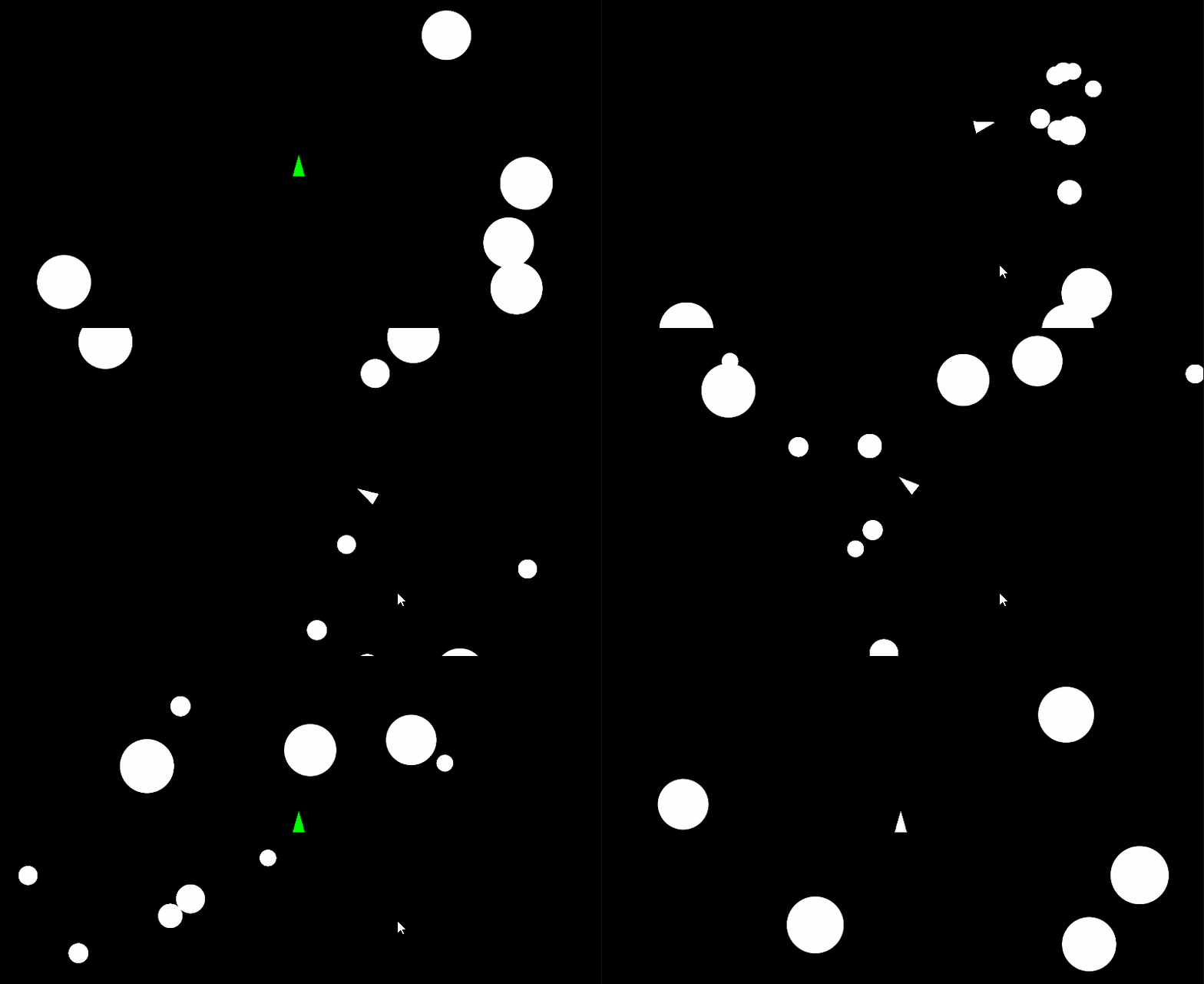
At the end of this section of the tutorial, we should see our spacecraft turn green when it is spawned and then turn white after one second. If we crash into objects when the spaceship is green, it will not be destroyed:
Score
To end this tutorial, let’s implement some logic to keep track of our score. For this system, we’ll have our Game Manager keep track of our total score, and have each asteroid send the score to the Game Manager before they are destroyed.
Score Variable and Method
Within our Game Manager.cs file, let’s add an int variable to keep track of our score:
public int score = 0;
Next, let’s add a public method named AddToScore() that can be called from any script to increase our score:
public void AddToScore()
{

}
Finally, let’s add an int parameter to this method so different values can be added to the score each time the method is called. Additionally, let’s write some logic so that when the method is called our local score parameter variable is added to our global score variable:
public void AddToScore(int scoreValue)
{
    score += scoreValue;
}
Asteroid Score
As a last step, lets call AddToScore() within our Asteroid.cs file. We can call this method before we increase our generation number. Let’s use our generation value to multiply our score based on the size of the asteroid. Let’s use a base score of 50 and multiply this by our generation value. We can provide this value to the AddToScore() method. (Remember, if your AddToScore() method has a red underline, you might not have save your GameManager.cs file or you might not have made the method public) (Also remember, you can use the class Discord to ask help from peers and the instructor if you get stuck :) )
private void OnTriggerEnter2D(Collider2D collision)
{
    if (collision.CompareTag("Projectile"))
    {
        //new code below
        GameManager.instance.AddToScore(50 * generation);

//...rest of code
With this code, large asteroids are worth 50, medium are 100, small are 150.
We can test our game with our Game Manager selected to see our Score parameter increasing:
Scripts
At the end of this tutorial our GameManager, SpaceShip, and Asteroid scripts should look similar to the following:
using UnityEngine;

public class Asteroid : MonoBehaviour
{
    Rigidbody2D rbody;
    public Vector2 direction;
    public float speed;

    public int generation = 1;

    void Start()
    {
        rbody = GetComponent<Rigidbody2D>();

        speed = Random.Range(.75f, 1.25f);
        speed *= generation;

        float randSize = Random.Range(2, 2.5f);
        float size = randSize / generation;
        transform.localScale = new Vector3(size, size, 1);

        direction = Random.insideUnitCircle;
    }

    void FixedUpdate()
    {
        Vector2 newPosition = rbody.position + direction.normalized * Time.fixedDeltaTime * speed;
        rbody.MovePosition(newPosition);
    }

    private void OnTriggerEnter2D(Collider2D collision)
    {
        if (collision.CompareTag("Projectile"))
        {
            GameManager.instance.AddToScore(50 * generation);
            generation++;
            GameManager.instance.RemoveAsteroid(gameObject);

            if(generation <= 3)
            {
                GameManager.instance.BreakAsteroids(generation, transform);
            }
            else
            {
                Destroy(gameObject);
            }

            Destroy(gameObject);
        }
    }
}
using UnityEngine;
using UnityEngine.InputSystem;

public class Spacecraft : MonoBehaviour
{
    public InputAction moveAction;
    public InputAction rotateAction;
    public InputAction fireAction;
    float moveInput;
    float rotateInput;
    Rigidbody2D rBody;
    public float movePower = 15f;
    public float rotatePower = 200f;
    public float projectileOffset = .8f;

    public GameObject projectilePrefab;

    public float invincibilityTimer = 1;
    bool isInvincible = true;

    SpriteRenderer sRenderer;

    private void OnEnable()
    {
        moveAction.Enable();
        rotateAction.Enable();
        fireAction.Enable();
    }

    private void OnDisable()
    {
        moveAction.Disable();
        rotateAction.Disable();
        fireAction.Disable();
    }

    void Start()
    {
        rBody = GetComponent<Rigidbody2D>();
        sRenderer = GetComponent<SpriteRenderer>();
    }

    void Update()
    {
        if (fireAction.triggered)
        {
            Vector3 projectilePosition = transform.position + transform.up * projectileOffset;
            Instantiate(projectilePrefab, projectilePosition, transform.rotation);
        }

        if (isInvincible)
        {
            sRenderer.color = Color.green;
            invincibilityTimer -= Time.deltaTime;
            if (invincibilityTimer <= 0)
            {
                sRenderer.color = Color.white;
                isInvincible = false;
            }
        }
    }

    void FixedUpdate()
    {
        moveInput = moveAction.ReadValue<float>();
        rotateInput = rotateAction.ReadValue<float>();

        Vector2 moveForce = transform.up * moveInput * movePower * Time.fixedDeltaTime;
        rBody.AddForce(moveForce, ForceMode2D.Impulse);

        float newRotation = rBody.rotation + rotateInput * rotatePower * Time.fixedDeltaTime;
        rBody.MoveRotation(newRotation);
    }

    private void OnTriggerEnter2D(Collider2D collision)
    {
        if (isInvincible == false)
        {
            GameManager.instance.PlayerDeath();
        }
    }

}
using System.Collections.Generic;
using UnityEngine;
using UnityEngine.Audio;
using UnityEngine.SceneManagement;

public class GameManager : MonoBehaviour
{
    public static GameManager instance;

    public GameObject player;
    public GameObject asteroid;

    int asteroidsToSpawn = 5;
    public float asteroidPadding = 2;

    public List<GameObject> asteroidList = new();

    public int playerLives = 3;
    GameObject currentPlayer;

    public int score = 0;

    private void Awake()
    {
        if (instance != null && instance != this)
        {
            Destroy(this);
        }
        else
        {
            instance = this;
        }
    }
    void Start()
    {
        StartGame();
    }

    void Update()
    {

    }

    public void AddToScore(int scoreValue)
    {
        score += scoreValue;
    }

    void SpawnPlayer()
    {
        currentPlayer = Instantiate(player, Vector3.zero, Quaternion.identity);
    }

    void SpawnAsteroids()
    {
        for (int i = 0; i < asteroidsToSpawn; i++)
        {
            GameObject newAsteroid = Instantiate(asteroid, GetRandomAsteroidPosition(), Quaternion.identity);
            AddAsteroid(newAsteroid);
        }
    }

    public void BreakAsteroids(int asteroidGeneration,Transform parentTransform )
    {
        for (int i = 0; i < asteroidGeneration; i++)
        {
            GameObject newAsteroid = Instantiate(asteroid, parentTransform.position, parentTransform.rotation);
            AddAsteroid(newAsteroid);
            newAsteroid.GetComponent<Asteroid>().generation = asteroidGeneration;
        }
    }

    void StartGame()
    {
        SpawnPlayer();
        SpawnAsteroids();
    }

    public void AddAsteroid(GameObject asteroid)
    {
        asteroidList.Add(asteroid);
    }

    public void RemoveAsteroid(GameObject asteroid)
    {
        asteroidList.Remove(asteroid);
        if(asteroidList.Count == 0)
        {
            asteroidsToSpawn++;
            SpawnAsteroids();
        }
    }

    Vector3 GetRandomAsteroidPosition()
    {
        float height = Camera.main.orthographicSize * 2 - 2;
        float width = (Camera.main.orthographicSize * 2 - 2) * Camera.main.aspect;
        Vector3 randomPosition = Vector3.zero;
        int randomZone = Random.Range(0, 4);

        if(randomZone == 0)
        {
            float randX = Random.Range(-width/2, width/2);
            float randY = Random.Range(height / 2, height / 2 - asteroidPadding);
            randomPosition = new Vector3(randX, randY, 0);
        }
        else if(randomZone == 1)
        {
            float randX = Random.Range(-width / 2, width / 2);
            float randY = Random.Range(-height / 2, -height / 2 + asteroidPadding);
            randomPosition = new Vector3(randX, randY, 0);
        }
        else if(randomZone ==2)
        {
            float randX = Random.Range(-width / 2, - width / 2 + asteroidPadding);
            float randY = Random.Range(-height / 2, height / 2);
            randomPosition = new Vector3(randX, randY, 0);
        }
        else if(randomZone == 3)
        {
            float randX = Random.Range(width / 2 - asteroidPadding, width / 2);
            float randY = Random.Range(-height / 2, height / 2);
            randomPosition = new Vector3(randX, randY, 0);
        }

        return randomPosition;
    }

    public void PlayerDeath()
    {
        playerLives--;

        if (playerLives == 0)
        {
            SceneManager.LoadScene(SceneManager.GetActiveScene().buildIndex);
        }
        else
        {
            Destroy(currentPlayer);
            SpawnPlayer();
        }
    }
}